VS Code 写 C# 怎样自动导包(Auto-using)
在 Visual Studio 中可以使用 Alt + Shift + F10 来自动导包,在 VS Code 中怎么操作呢?
快捷键是 Ctrl + .(句点)。
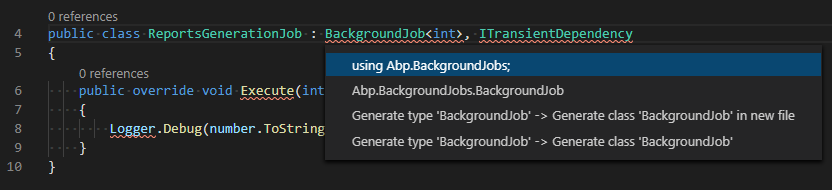
坑:必须在英文状态下按快捷键才能起作用。
如果你还没有安装安装并配置 VS Code 的 csharp 插件,这个快捷键可能不起作用。
在 Extensions 页搜索安装
C#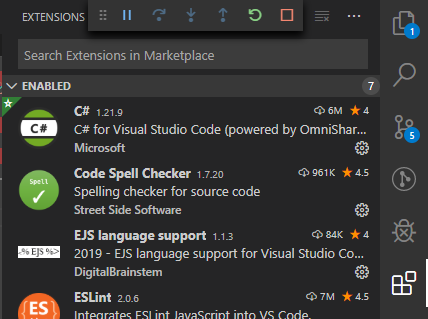
重新打开项目,会弹出提示,选择是
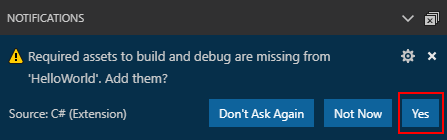
等待 Output 输出 Finished
来源:
https://stackoverflow.com/questions/148977/visual-studio-keyboard-shortcut-to-automatically-add-the-needed-using-statemen
https://docs.microsoft.com/en-us/dotnet/core/tutorials/with-visual-studio-code
VS Code 写 C# 怎样自动导包(Auto-using)